
Adobe InDesign Core Skills
Course Code: AIDCS |
£495.00
Overview
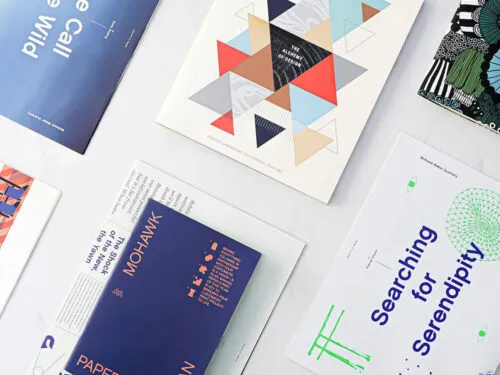
The Adobe InDesign Core Skills (2-day) course is designed for learners who want to work confidently with professional page layout and document production. Delivered live online or at our London training centre, this course provides extended hands-on practice with the tools and workflows used to create polished, publication-ready documents.
Over two days, you will work in depth with document setup, text and image handling, paragraph and character styles, colour management, and layout control. The course emphasises efficient, structured workflows for producing brochures, reports, magazines, and other multi-page documents. By the end of the course, you will be able to create well-organised layouts and prepare files reliably for print and PDF distribution.
In-Person or Live Online
Flexible delivery options
Adobe Certified Trainers
Expert qualified trainers
On-Demand Videos
Access videos anytime
Post-Course Support
We’re here for you
Contents
Outcomes
Requirements
This course is suitable for beginners and learners with limited InDesign experience. No prior knowledge is required beyond basic PC or Mac skills.
If you want to develop complete, professional document workflows, choose Adobe InDesign Complete (3-day). For organisation-specific templates, brand systems, or tailored delivery, we also offer private and one-to-one InDesign training.
Learn It – or Retake It
Our learning guarantee
Small Class Sizes
Maximum 6 students
Completion Certificate
Verifiable digital credentials
Flexible Booking
Reschedule or cancel
Booking
Places can be booked online. Individuals may pay at checkout by card. Companies and organisations can select the invoice option at checkout to pay later by bank transfer or card. Group bookings, private team training, and consultancy-led bespoke programmes are all available on request.
Contact
If you have any questions about our Adobe InDesign Core Skills course please send us a message using our contact page and we will reply to you as soon as possible – or call us on 0203 3974567.
Return to InDesign courses View booking policy
What Our Learners Say
Real stories from the people we’ve trained
Feeling more confident in my InDesign skills.
I found the training really informative, the trainer was patient and went through all the steps at a good speed so I felt that I was able to understand each step in more details.
I also felt like I was able to build on my knowledge that i had learnt previously and i’m leaving the course feeling more confident in my InDesign skills.
Learnt so much invaluable information.
Amazing InDesign Course! Learnt so much invaluable information that I can carry across into my job – thank you!

I am very pleased with the training received today.
Very useful and thorough training. I am very pleased with the training received today.
I was able to ask plenty of questions and the training was tailored for my specific needs. The teacher did a brilliant job.
Incredibly knowledgeable and patient trainer.
Awesome course learning to use Adobe Indesign more efficiently.
Incredibly knowledgeable and patient trainer – he was very happy to tailor the course to our specific work-related needs and judged our level of experience in order to shape the session. I feel much more confident now. Thank you!
Really enjoyed the practical exercise…
Excellent course. Really enjoyed the practical exercise of designing a flyer at the end. Learnt a couple of very applicable things to my job eg. placing an image behind a logo.
Well worth doing and I’d recommend the course to anyone with basic-level InDesign knowledge that wants to take their skills to the next level.
Very informative and good fun…
The course was picked by my workplace. It was very informative and good fun learning on this course.

The course covered everything needed…
Really Beneficial. The course covered everything needed and the tutor also spent time asking us about our jobs so that the training could be catered to what we will put to use in our jobs.

Useful practical course…
Useful practical course, good pace, lot of content covered, knowledgable trainer.

Great course, covering all the basics that I missed.
Great course, covering all the basics that I missed by teaching myself the software on the job, plus other clever tricks that will help my day to day Adobe operations.

Really engaging session today.
Informative and interactive. Really engaging session today, learnt a lot about how to use Adobe InDesign at an intermediate level and new shortcuts to speed up my workflow. Thanks!

Learnt some brilliant techniques.
Learnt some brilliant techniques that I am definitely going to use. Very enjoyable course & would like to do the advanced level with the same trainer.

Wanted to reduce reliance on freelance designers.
I took the course as I wanted to reduce reliance on freelance designers.
Previously did the Photoshop course which was very good. Thank you!